Money management
Lot computed automatically from the risk %, number of positions per click, magic number and slippage.
Type to search the whole ecosystem: marketplace, terminal, forum, courses, strategies, ebooks, services.
A complete management panel: risk-based auto-lot, four-step break-even, trailing stop, automatic SL/TP. The interface fits in a single Canvas surface, smooth and free of stray objects.
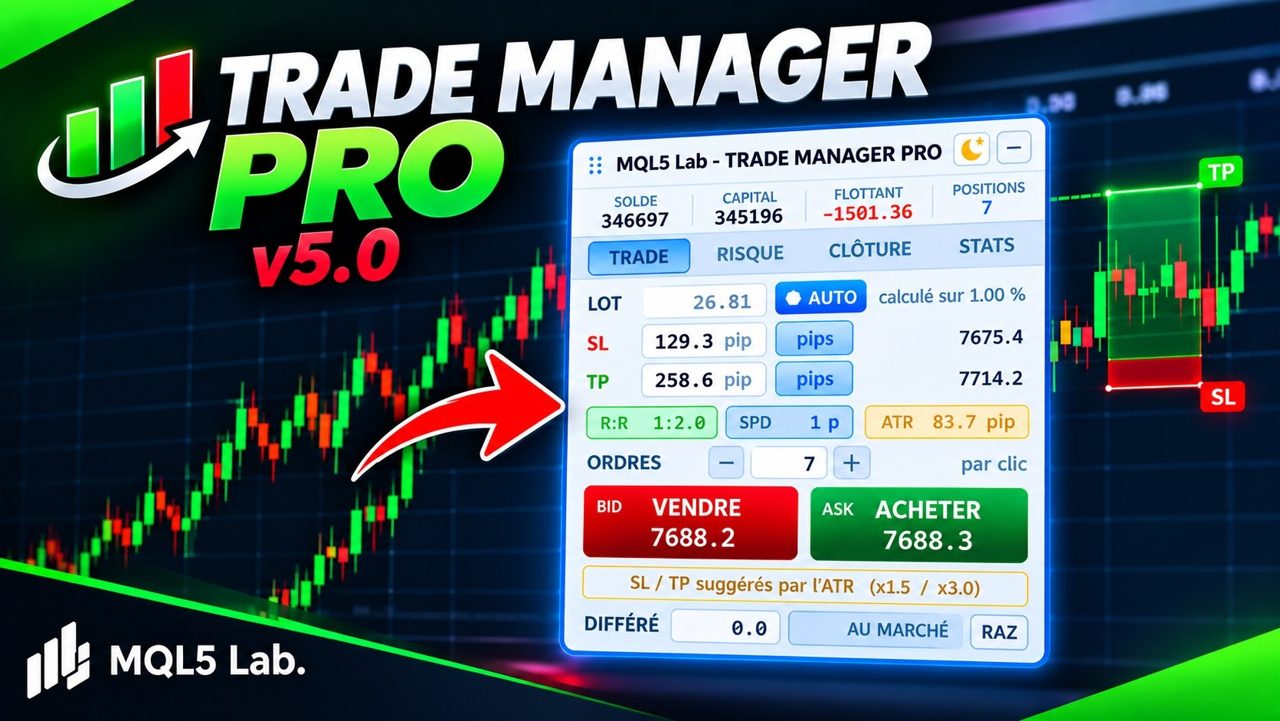
Trade Manager Pro replaces manual position management with a single panel placed on the chart. You choose the risk percentage, it computes the lot; you set the break-even levels, it moves the stops; you enable trailing, it follows the price.
Since version 5, the interface is entirely drawn in Canvas: no more native buttons, fields or rectangles on the chart, so no more conflicts with your other tools. Switchable light or dark theme, adjustable transparency, movable panel.
Break-even works in steps: at 30% of the TP the stop moves to entry, at 50% it locks in part of the gain, and so on — four levels, each with its trigger and its target.
Lot computed automatically from the risk %, number of positions per click, magic number and slippage.
Each step has its trigger (% of TP) and its SL target (% of TP). Progressive securing.
Distance and update step in pips, enabled at start or from the panel.
Automatic adoption of default stops and targets on any position opened without protection.
A single object on the chart. ☀/☾ theme, transparency, adjustable title font and size.
Optional display of the levels directly on the chart.

Every setting is commented in the MetaTrader parameters window. Here are the main groups.
In MetaTrader 5: File → Open Data Folder, then MQL5 / Experts.
Copy the file .ex5 (and the Include provided, if any) into this folder.
In the Navigator (Ctrl+N), right-click Expert Advisors → Refresh.
Set the parameters, confirm. Allow algorithmic trading (Algo Trading button) so the bot can place orders.
Choose the plan, send the amount in USDT, fill in the form with the transaction hash. I check every payment on-chain myself and send you the file and its license by e-mail within 24 h.
Monthly, cancel any time, or a lifetime license with updates.
In USDT, BNB Smart Chain (BEP20) network only, to the address below.
The transaction hash and the path of your MQL5 folder (illustrated guide below).
The file and its license, within 24 h of payment confirmation. Notification on Telegram too.
Scan from your wallet or exchange app, or copy the address. Check the network before confirming.
0x28bbfce4017130356d9bcf15053f67bbb8351638
Watch the animation, or follow the steps. On MetaTrader 5, the data folder has a unique identifier: that is what identifies your installation.
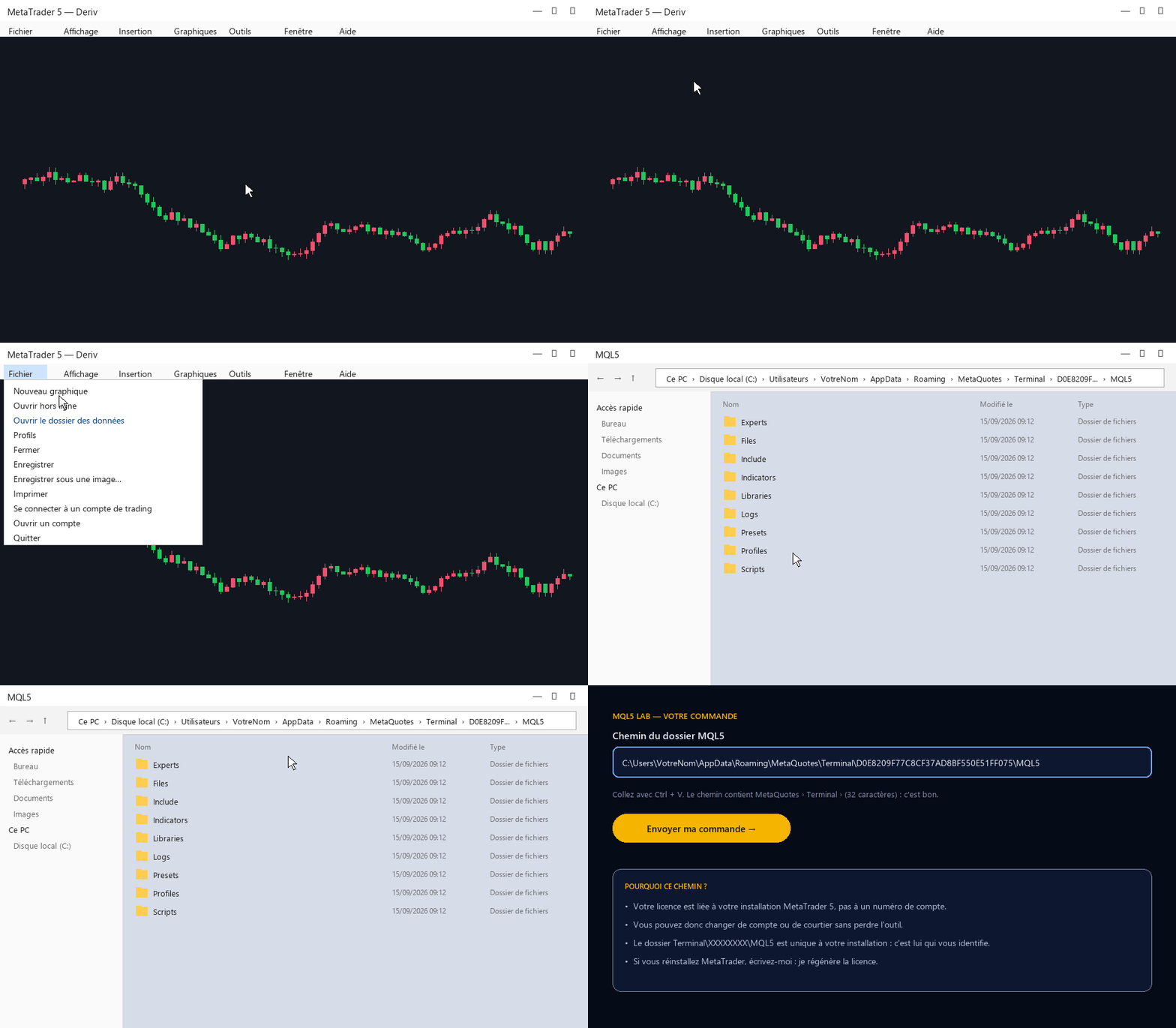
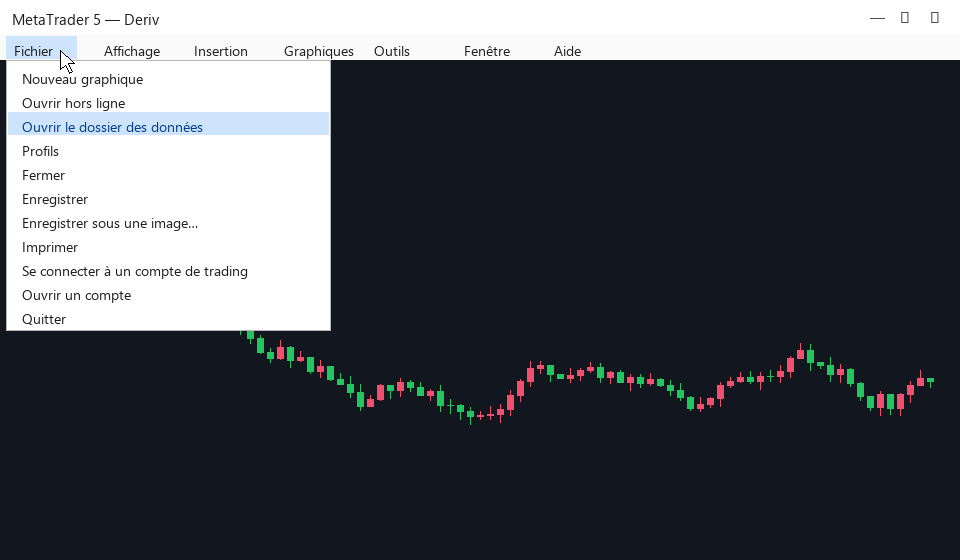
File → Open Data Folder. An Explorer window opens.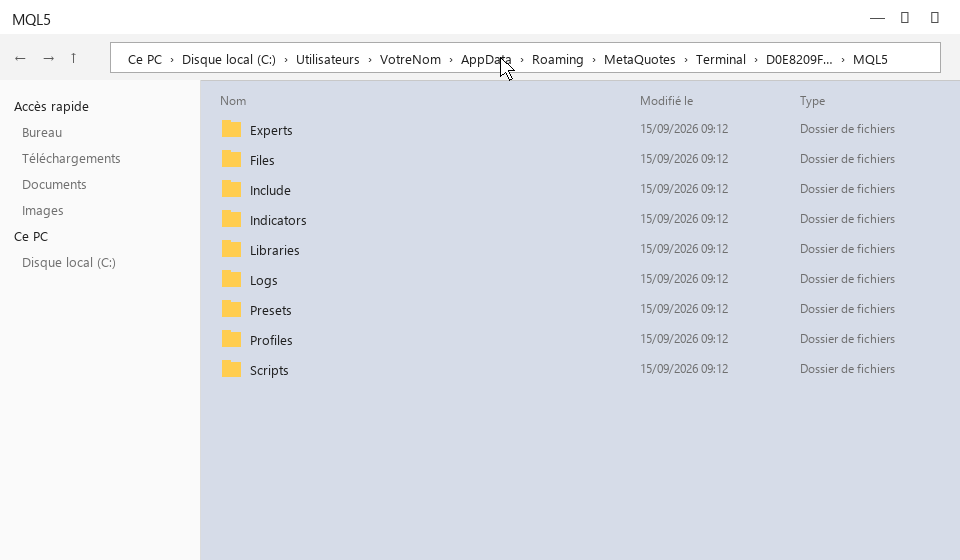
MQL5, then click once in the address bar at the top: the full path appears.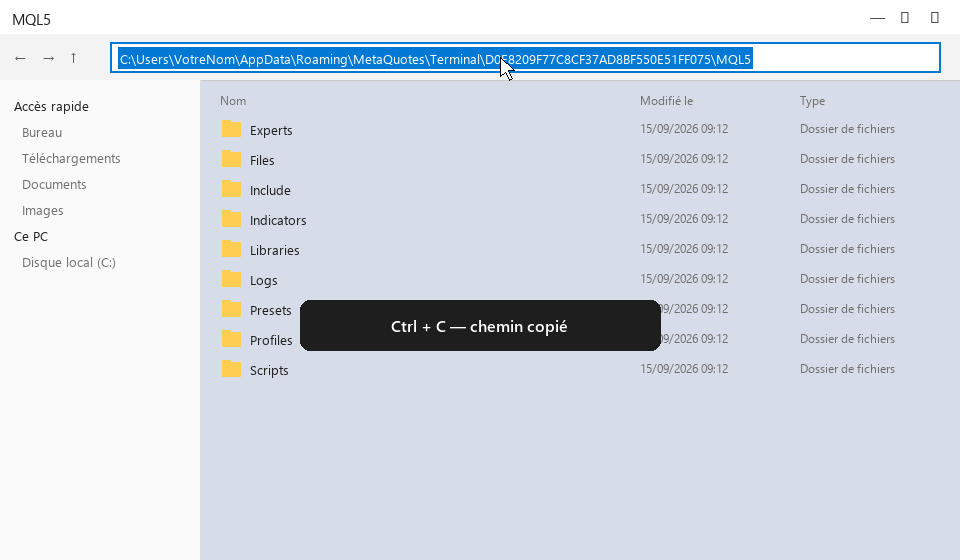
C:\Users\Vous\AppData\Roaming\MetaQuotes\Terminal\D0E8…\MQL5.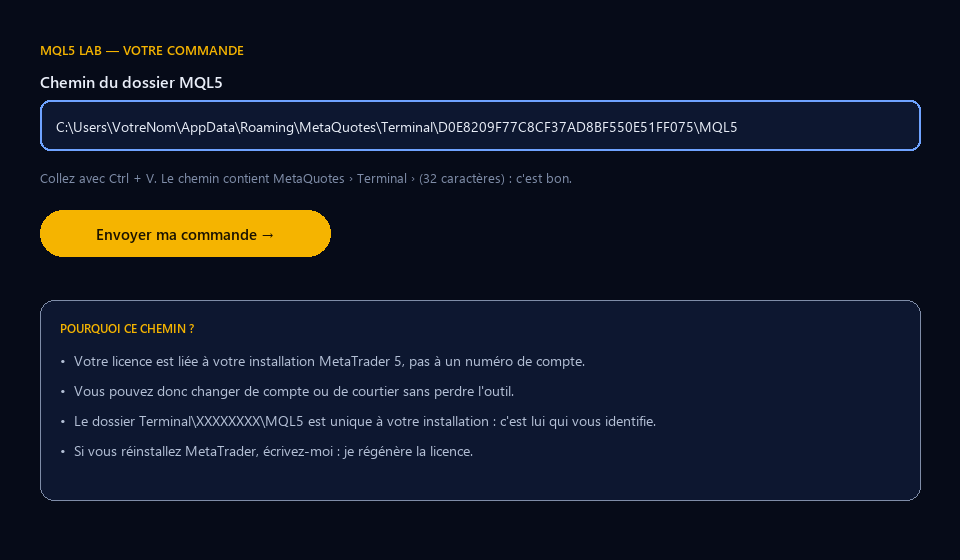
Several MetaTrader installations (several brokers)? Send the path of the one where you will use the tool. On Mac or on a VPS the principle is the same: the folder Terminal\identifier\MQL5.
Honest feedback, positive or not, from people who actually installed the tool. I do not edit reviews; I only remove spam and links.
Loading…
It draws the structure, the zone, the refined obstacle and the area to watch before the price gets there. It never rewrites the past.

Buy and sell arrows filtered by the trend, an ATR channel, ZigZag reversals and a multi-timeframe dashboard. No repaint.

Structure, zones, liquidity, signals: the whole Smart Money reading on a single chart, calibrated to the symbol's ATR, with a panel summarising the bias, the price position and the state of the zones. More precise, more complete.